Stop reading everything.
Start biting.
Bite turns any webpage or YouTube video into a concise summary with key insights — in seconds, directly from your browser.
Start your free 7-day trial
 Get the Extension
Here's how it works
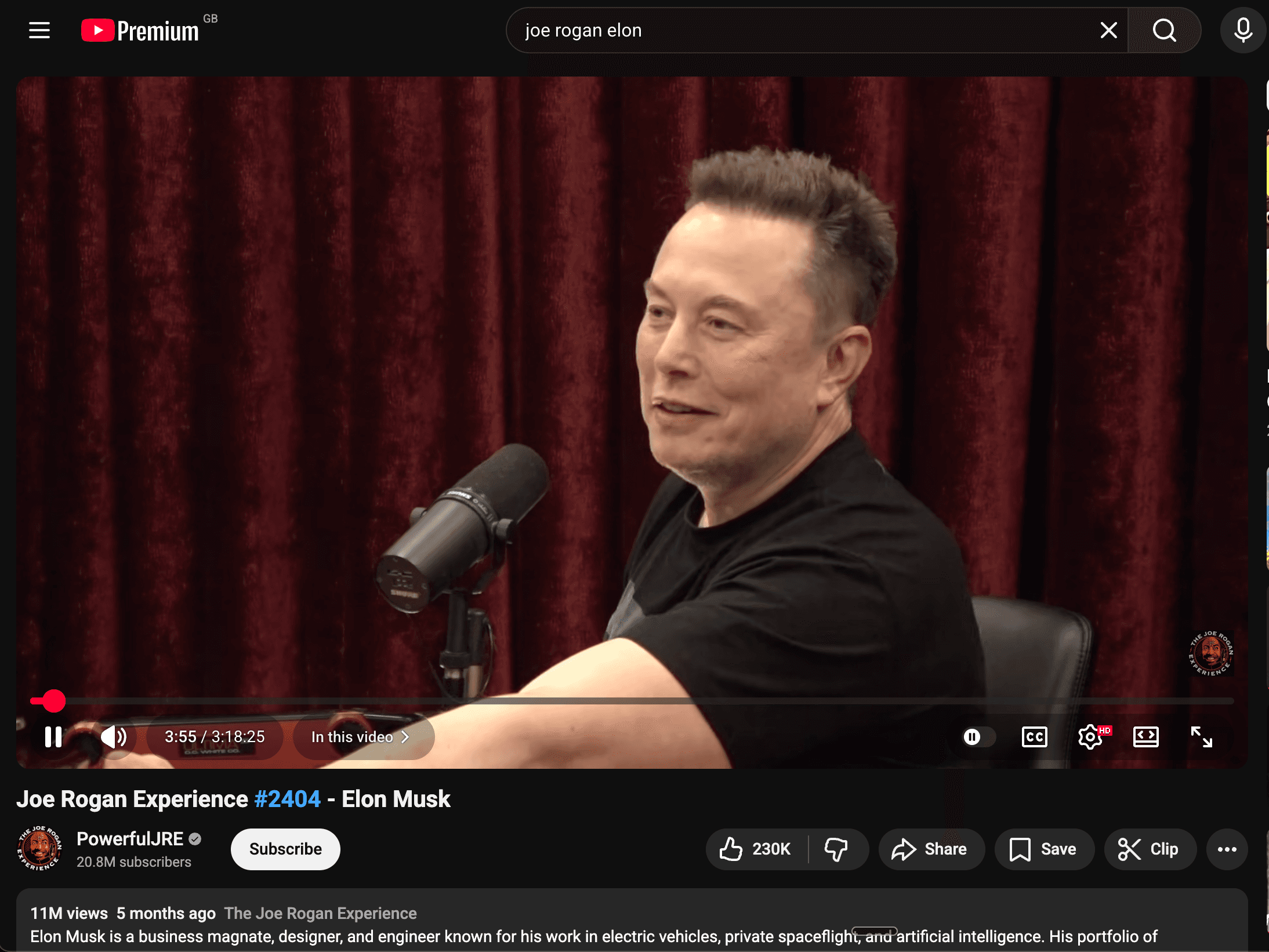
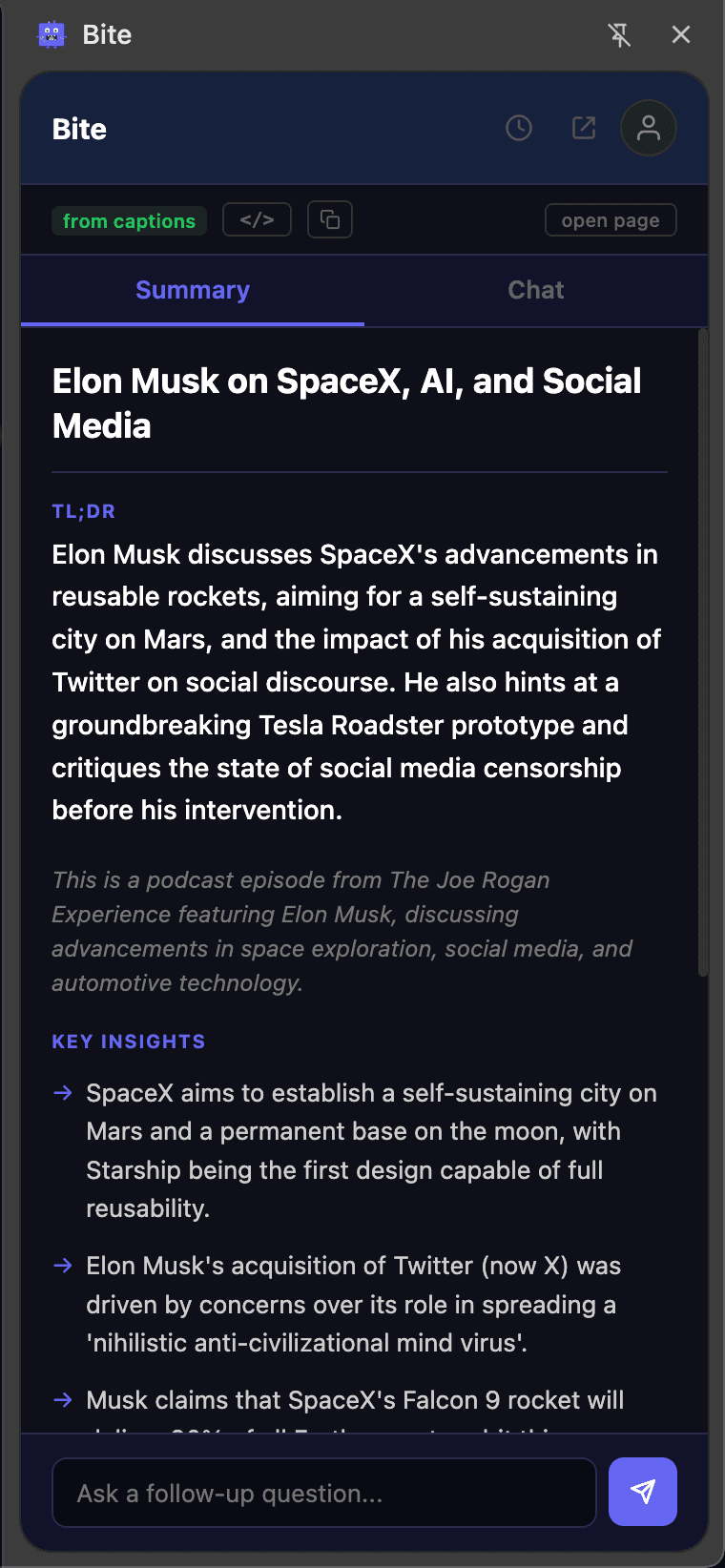
YouTube video too long? Bite it.
That 3-hour podcast or lecture you keep putting off? Get every key insight, argument, and takeaway in seconds — not hours.
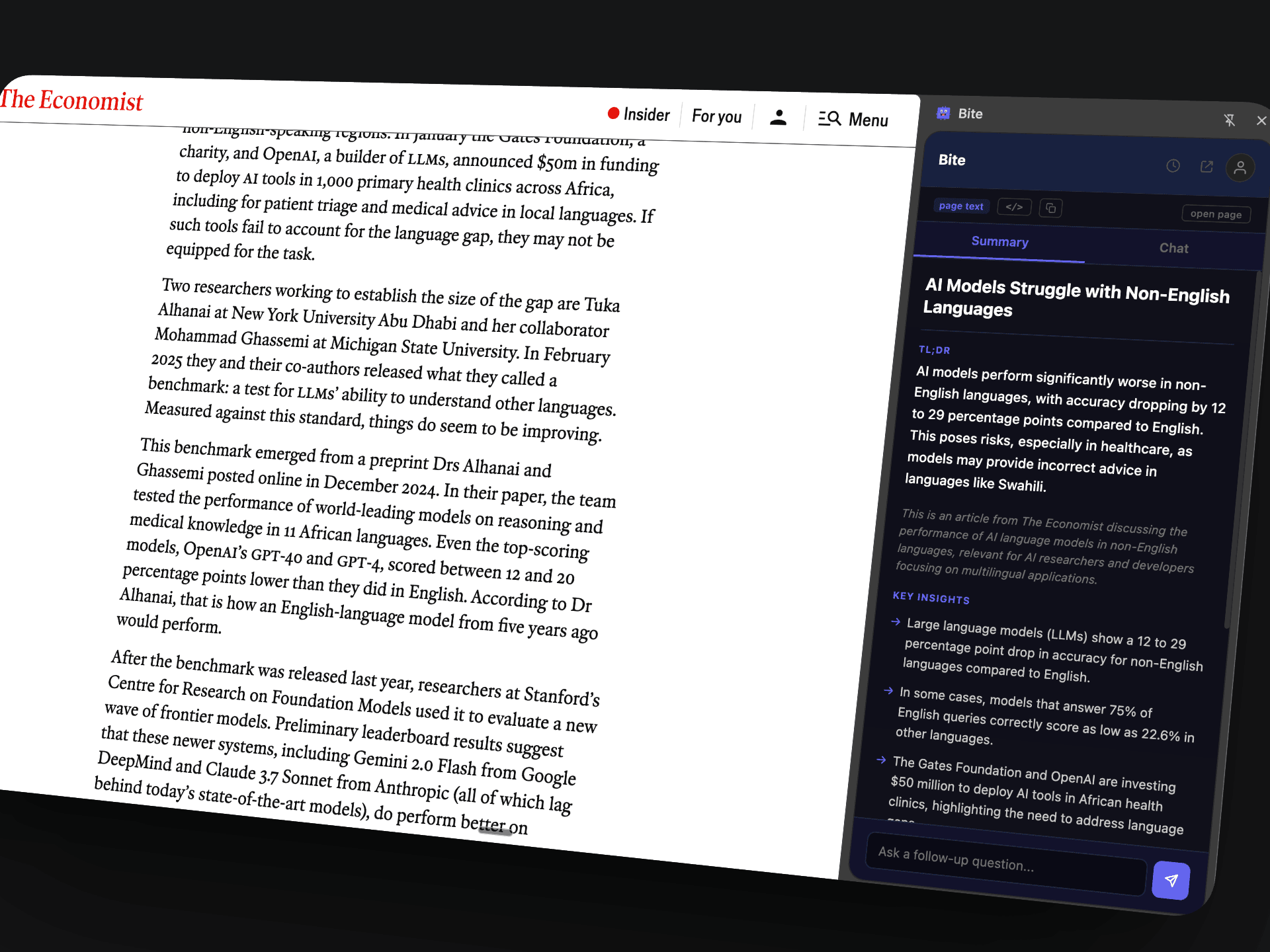
Article too long? Bite it.
That 3,000-word investigative piece you bookmarked but never read? Get the key facts, figures, and conclusions in 10 seconds instead of 15 minutes.
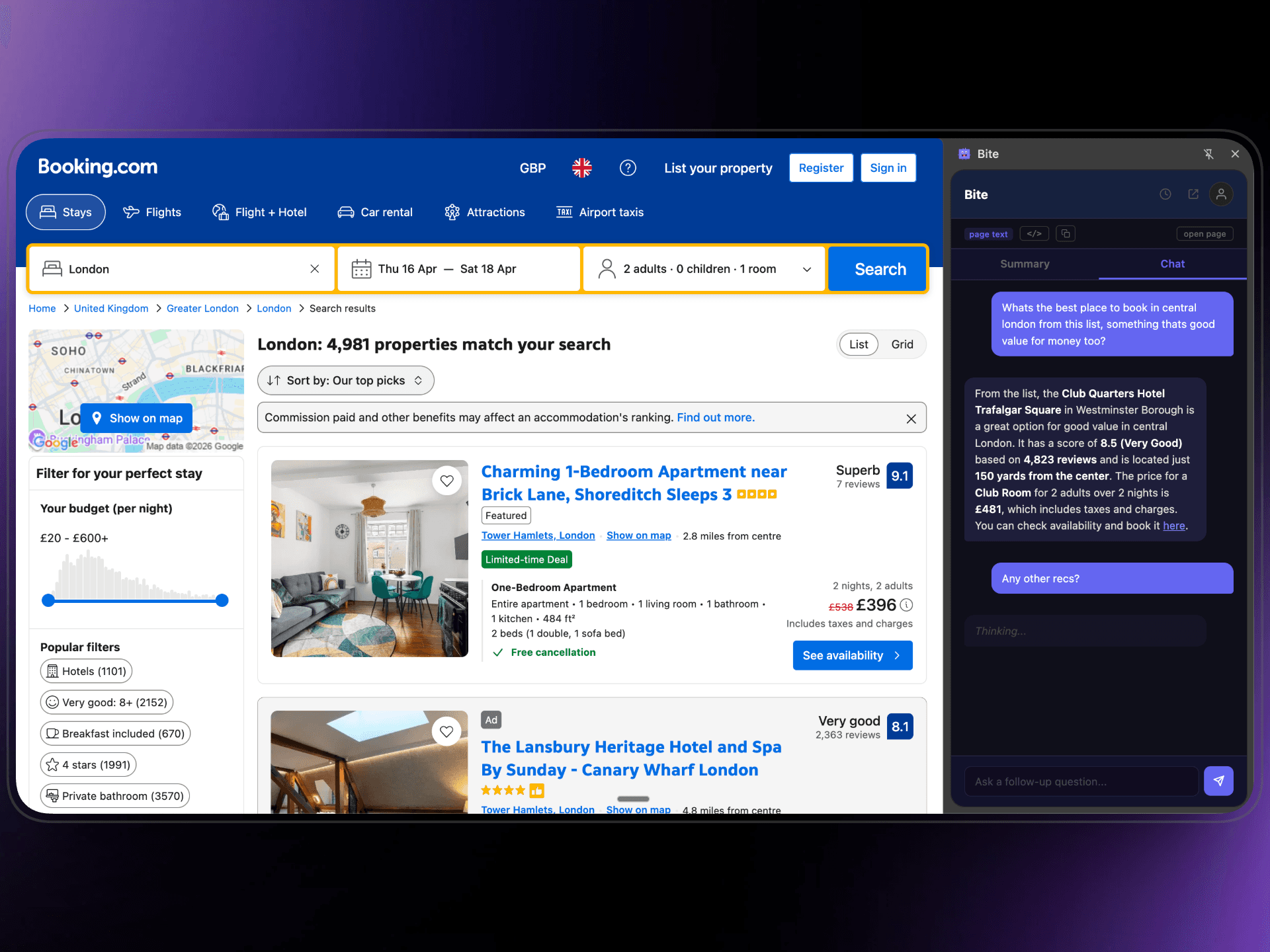
Chat to dig deeper.
Don't just read the summary — ask follow-up questions. Get specific answers from the page without re-reading or scrolling through everything.
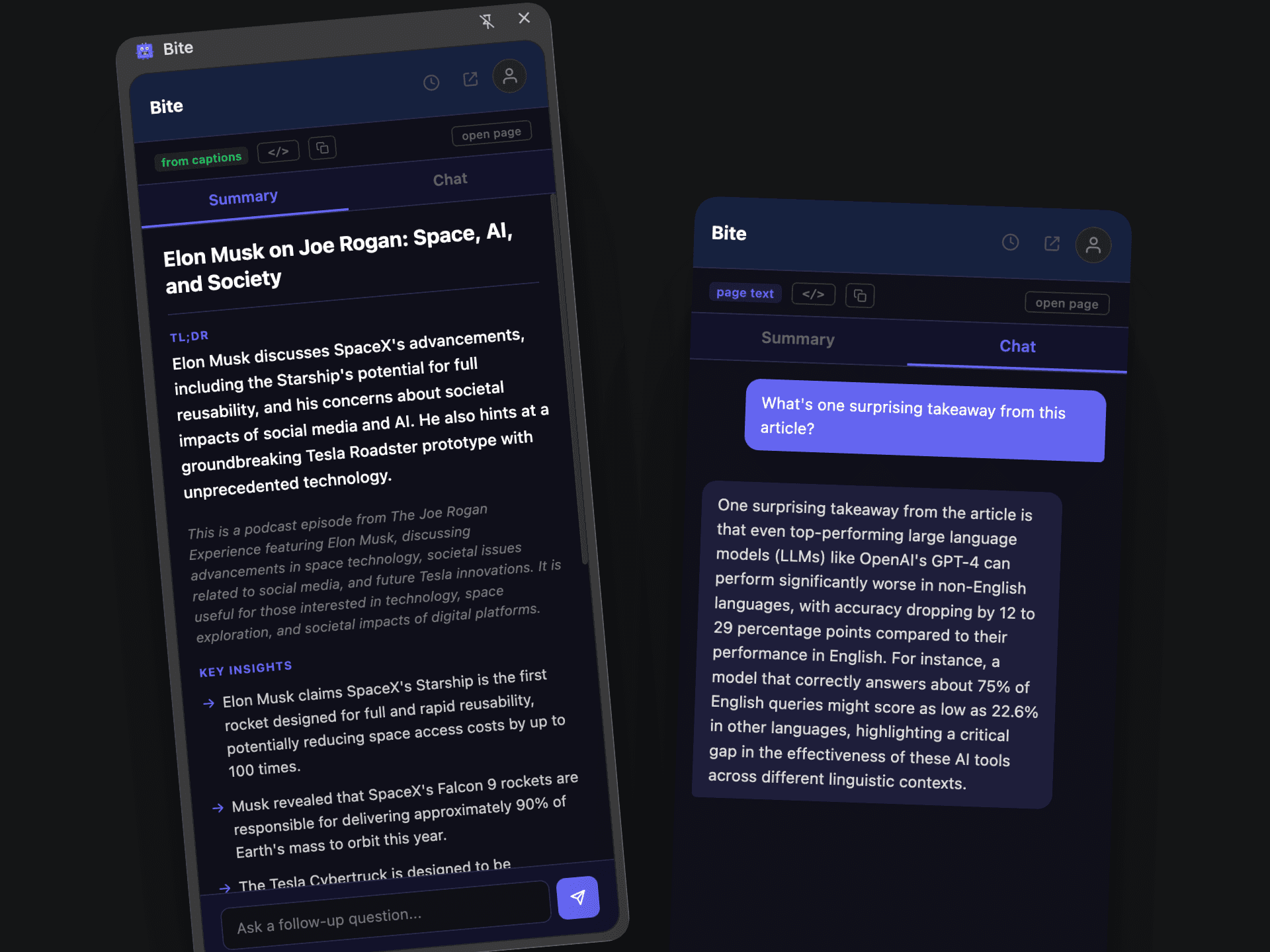
Summaries & chat, side by side.
Every bite gives you a structured summary with key insights, a TL;DR, and the ability to ask follow-up questions — all in one clean panel.
Three steps. That's it.
Bite any page
Click the Bite icon, hit 'Bite This Page' on any webpage or YouTube video, and get a structured summary instantly.
Chat with it
Ask follow-up questions about the content. Get specific answers without re-reading or re-watching anything.
Full history
Every page you bite is saved. Come back anytime to revisit summaries and pick up conversations where you left off.
Ready to save hours of reading?
7-day free trial. No credit card required.
Get Biting — It's Free